Version 5.2.3 (CM) - November 24th 2025
Weissr Capex Management
Enforce required property checks on Complete request actions
This update ensures that users must enter all required data before a project can be completed, improving data quality and maintaining governance consistency — especially when requiring data input in the post-completion phase.
📍 What’s new
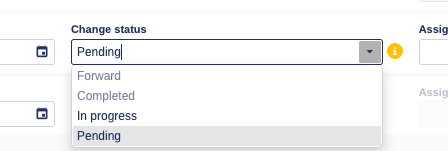
Users can no longer complete a request if required properties are not filled in.
The system now validates required properties even when status is No action → next state Completed, not just Move forward.
Use Boolean properties directly in formulas
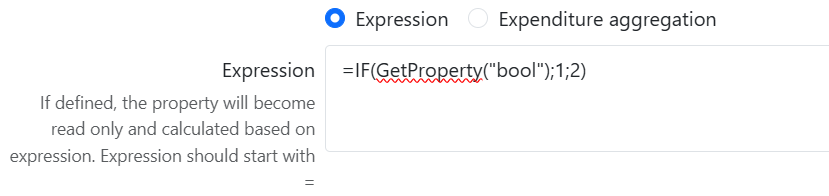
Formula fields now support Boolean properties as conditions in logical expressions like IF, AND, OR etc.
Allow deletion of Approved, Completed, or Rejected requests
New global permission (“Delete approved requests”). Only users who have this permission and can create the request on the node may delete.
Soft‑delete function.
Deleting an approved main request cascades to its additional requests, with confirmation.
Audit on deletion retained.

Prevent incorrect duplication of Additional Requests
To ensure correctness in Capex Management workflows, the “Duplicate” action is now completely removed from the context menu of Additional Requests (Transfer In / Transfer Out / New Funding).

Common platform improvements
Ad hoc alerting
Ad-hoc alerting introduces a simple way for admins to share updates directly inside Weissr. Two new sections are available in Administration → Notifications: Ad hoc notifications and Banners. These tools help ensure users see important messages at the right time, right where they work.
Ad hoc notifications
Creating a notification is done through a simple form with a subject and a rich-text message body. You can choose push, email, or both, and scheduled messages can be edited, cancelled, or sent early at any time before delivery.

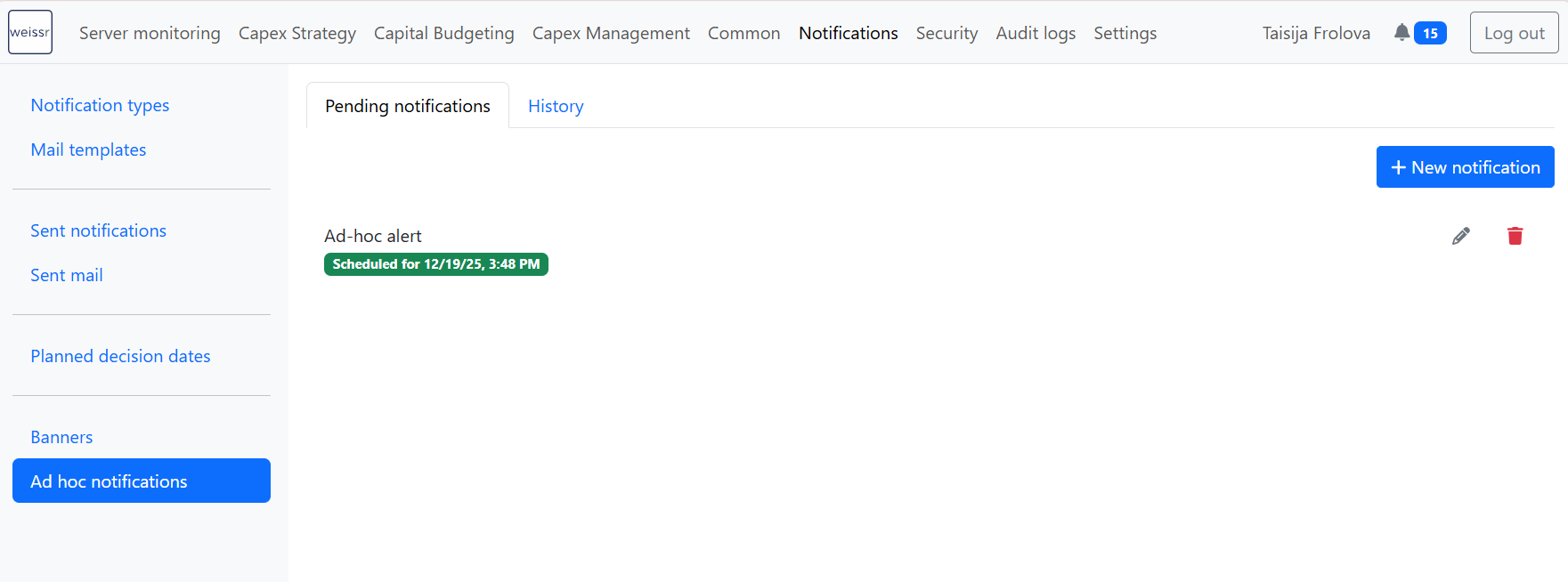
Delivered notifications appear in Sent notifications and Sent mail for future reference.
📍 What’s new
New Ad hoc notifications section under Administration → Notifications
Send alerts immediately or schedule them for a later time
Compose messages using a summary and rich-text body
Choose notification type: push, email, or both
Edit, cancel, or execute scheduled alerts
All delivered alerts appear in the existing sent lists
👉 More information about ad-hoc notifications
Banners
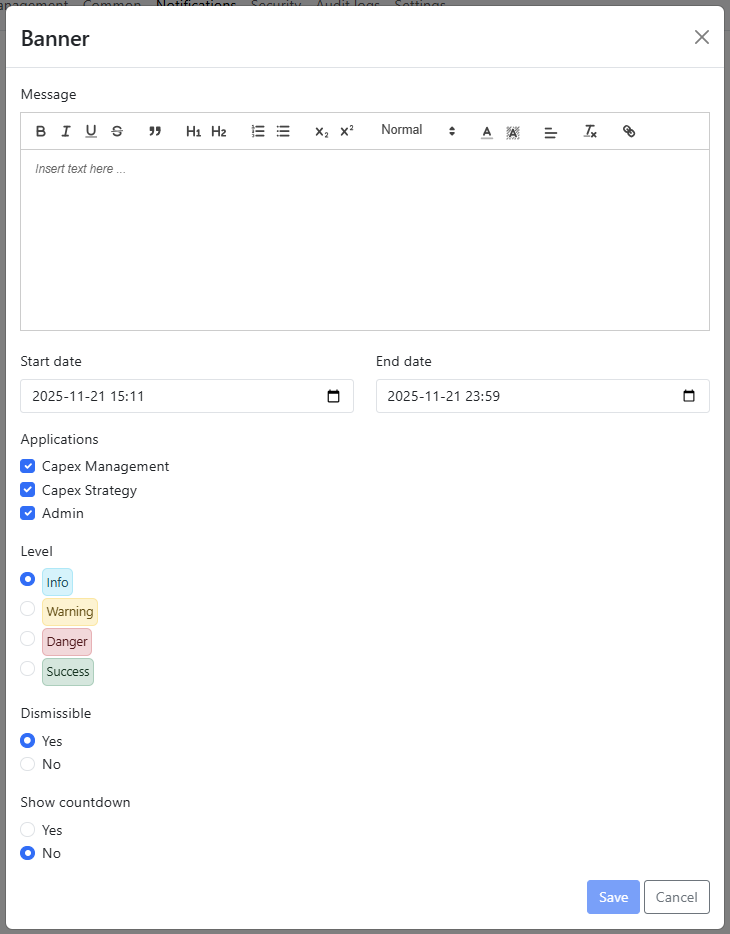
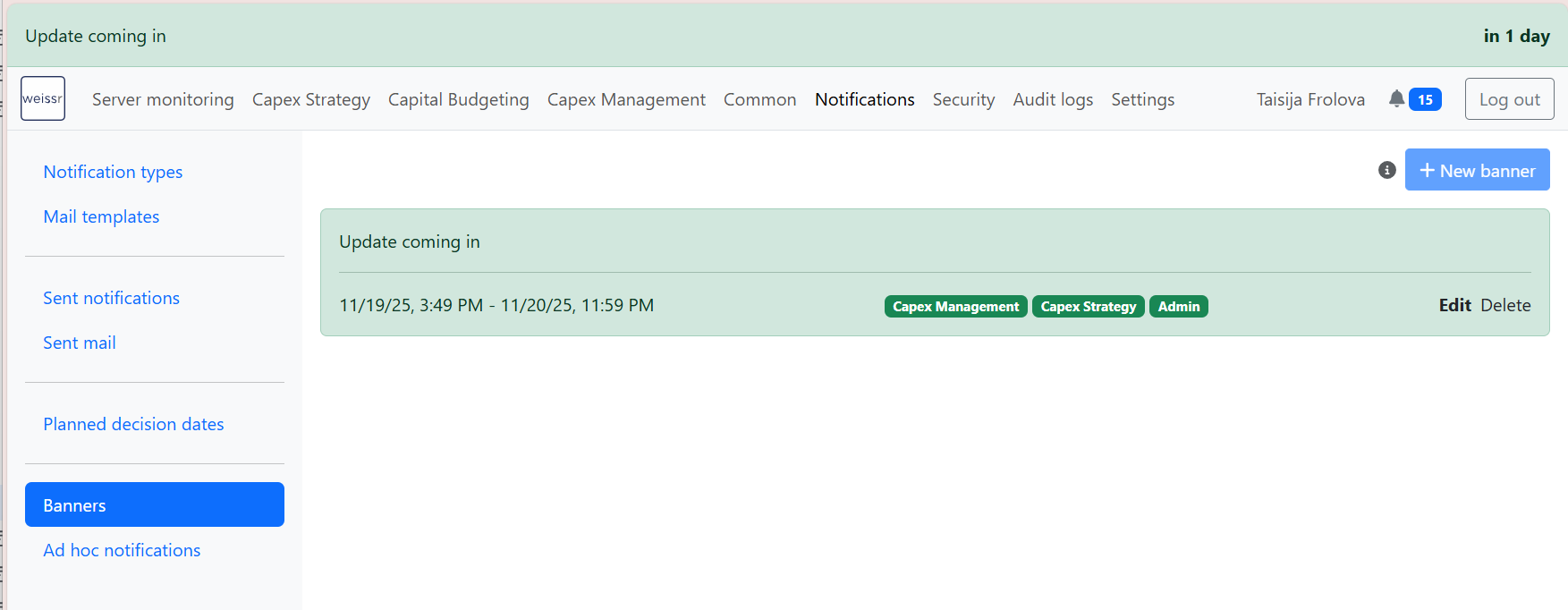
Use Banners to place high-visibility messages at the top of selected Weissr applications. Banners are ideal for ongoing updates, timelines, or important announcements users should see immediately.
Banners can be created with start and end times, a style (Info, Warning, Danger, Success), dismissible behavior, and optional countdown indicators.
Once active, banners appear at the top of the selected application and remain visible for the defined period.
📍 What’s new
New Banners section under Administration → Notifications
Create visible banners with configurable start and end times
Choose styles like Info, Warning, Danger, or Success
Make banners dismissive or fixed
Optional countdown display for time-based events
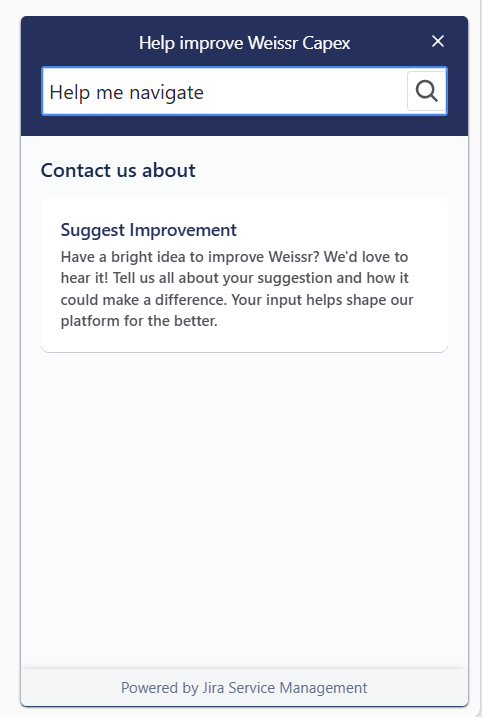
Jira Service Desk Feedback widget integrated into CM & CS
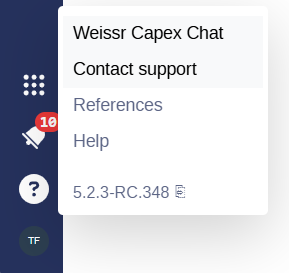
Users can now submit support requests directly from inside Capex Management and Capex Strategy without leaving the application.
A new “Contact support” option is available under the question-mark icon in the dark-blue navigation bar.
Standardized icon order in unified navigation menu
To deliver a consistent navigation experience across CM and CS, the dark-blue bottom menu has been reorganized and cleaned up.